
Edit your profile
Where to find your profile
Open Settings from the sidebar.
Stay on the Account tab (it's the default).
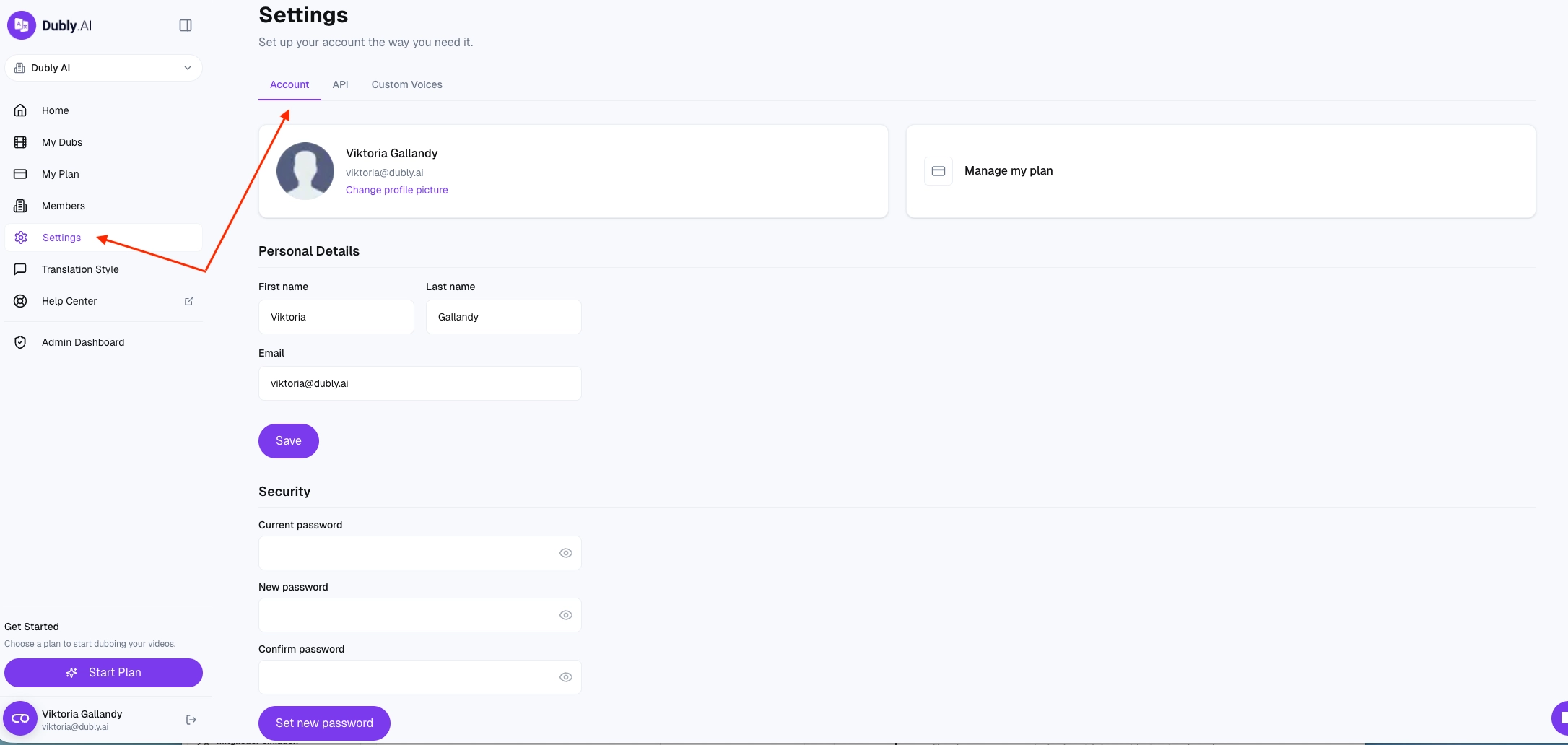
Name
Edit your first name and last name, then click save. Both are shown to teammates in comments, invites and members lists.
Profile picture
Click Change profile picture and pick an image from your computer.
Accepted formats: JPEG, PNG, GIF, WebP
Maximum size: 5 MB
The image is automatically cropped and resized to a square thumbnail — no need to pre-size it yourself If you haven't uploaded a picture, your initials are shown instead.
Email (your login address)
Your email is also your login. To change it:
Replace the address in the Email field on the Account tab.
Save.
Check the new inbox for a confirmation email from Dubly.AI and click the link.
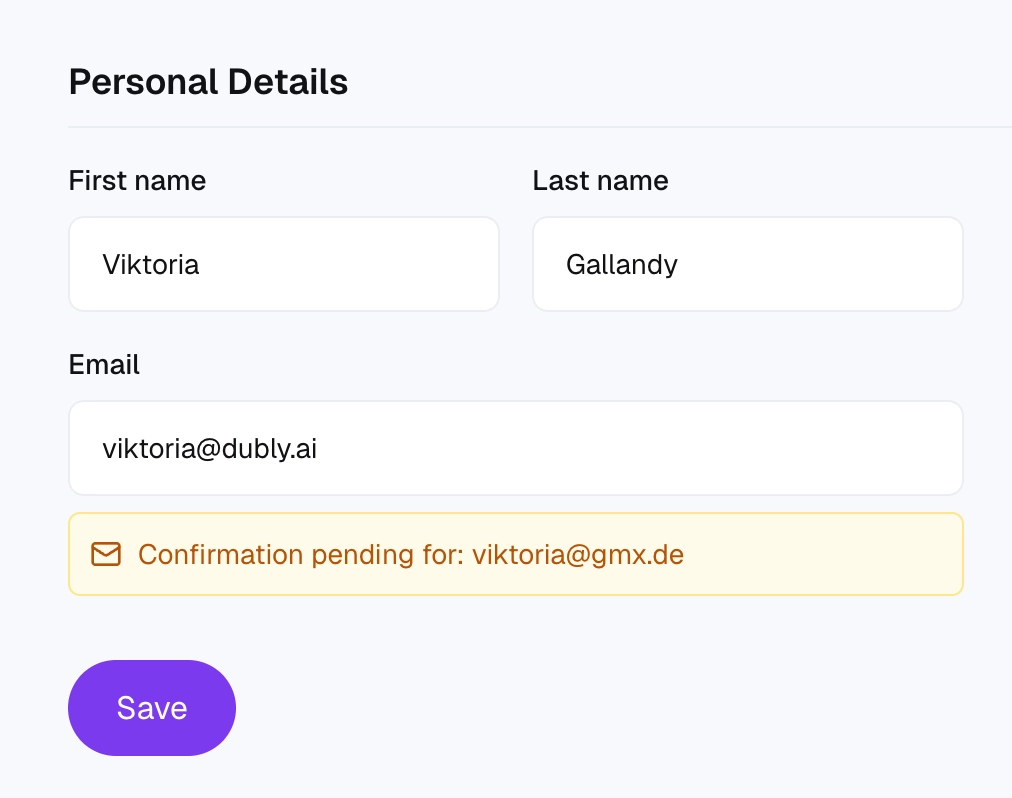
Until you confirm, a "Confirmation pending" banner stays on your profile, and you keep signing in with your old email. The change only takes effect once you've clicked the link — this prevents accidental lock-outs if you typo the new address.
What if you can't access the current email
If you've lost access to the email address on your account (former employer, defunct domain, locked inbox), tell support that in your message. We'll need additional verification — you may be asked for proof of identity or recent account activity — but we can usually help.
Password
Under Security on the same tab:
Enter your current password.
Enter the new password twice to confirm.
Save. Forgot your current password? Sign out and use Forgot password? on the login screen to reset it by email instead.
What's NOT on this page
These live elsewhere — so you don't hunt for them in vain:
Organization name, address, billing info — Billing (managed by the account's Owner)
Team members and roles — Members page (only visible on plans with team features enabled)
Switching between workspaces — the workspace switcher at the top of the sidebar
Still need help?
If you can't access the email on your account or a confirmation email isn't arriving, contact hello@dubly.ai from any reachable address and include the email address you're trying to recover.